Welcome to my blog series “Binary Exploitation 101”! In this series, you will learn how programs actually work, why common vulnerabilities such as stack overflow and use-after-free are dangerous, and how to prevent them. We’ll explore these topics through both attack techniques and their corresponding mitigations.
Before we dive in, the first step is setting up your environment. This is probably the most tedious part, but also one of the most challenging for beginners.
This series mainly focuses on x86-64 Linux environments (Ubuntu 24.04). In this article, I’ll explain two setup options: using Docker with Visual Studio Code or using a virtual machine. If you already have an x86-64 Linux environment, the first option is the easiest.
Installation steps and tool usage can vary depending on the version, so I won’t go into detailed step-by-step instructions here. Please refer to the official documentation. If you encounter any issues during setup or find solutions, feel free to share them in the comments below.
Using Docker + Visual Studio Code
- Install Git.
- Clone the repository.
- Install Docker.
- Install Visual Studio Code and the Dev Containers extension.
- Open the folder you cloned in step 2 with Visual Studio Code, and press
Ctrl + Shift + Pto open the command palette, then search for and select> Dev Containers: Reopen in Container: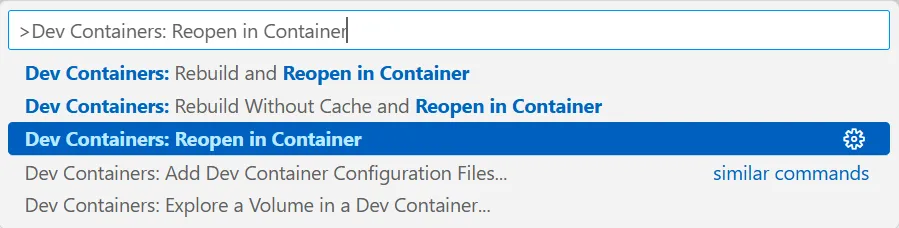
Using a Virtual Machine
- Install VMware Workstation Pro.
- Download Ubuntu 24.04 LTS ISO image and create a VM.
- Install open-vm-tools-desktop:
sudo apt-get updatesudo apt-get install -y open-vm-tools-desktop- Install Git:
sudo apt-get install -y git- Clone the repository:
git clone https://github.com/r1ru/binary-exploitation-101- Run setup.sh:
./setup.sh- Install your preferred text editor.